1. Begin with initial guidance by following instructions in the message box to watch a short video about earthquakes. To play the video, click the red-colored button; to stop the video, click the black-colored button.
2. Walk towards the message box to receive instructions for the next simulation. Follow the guidance to climb stairs or press the red button on the stair's glass to teleport directly to the upper floor.
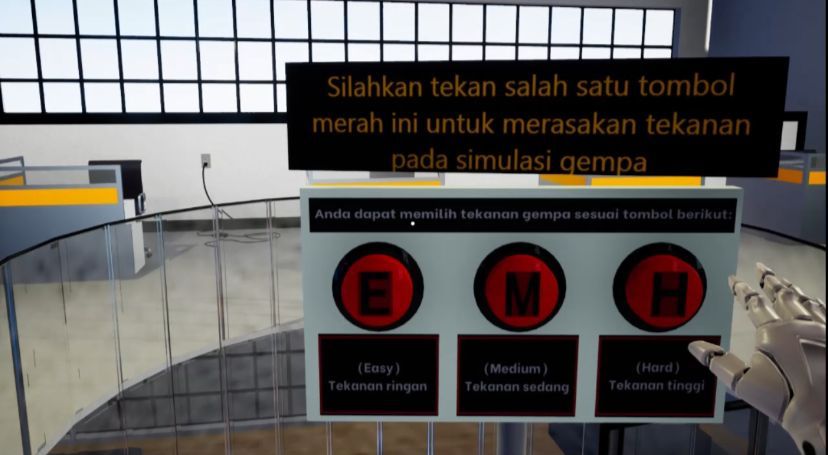
3. After reaching the second floor, walk closer using the joystick towards the earthquake pressure buttons. Select and press one button to adjust the desired pressure.
4. When the earthquake occurs, proceed to the alarm button. Press the button to activate the earthquake evacuation alert.
5. Continue by following the instructions in the message box to take cover under a table. Use the joystick to walk and crouch under the table to ensure safety during the earthquake.
6. After the earthquake is over, descend to the ground floor for evacuation. Descend through the stairs and follow the available instructions.
7. Once back on the first floor, find the evacuation route and exit through the designated door.
8. After exiting, make sure to continue following the evacuation route and head towards the basketball court.
9. Upon successfully reaching the open field, proceed with the provided quiz as part of completing the evacuation simulation.
10. Congratulations, you have successfully completed this earthquake simulation. Hopefully, this experience enhances your understanding in facing earthquake situations.
These are the various stages in the development process of the VR Earthquake Simulation.
What will i learn?
-
Earthquake Simulation of VR
Preview 00:00:00

Adhi Setyo Santoso
Associate Professor of Innovation Management, Entrepreneurship, and Digital Business - President University | Indonesia's Most Outstanding Lecturer 2019 | Doctor in Strategic Management
Write a public review